


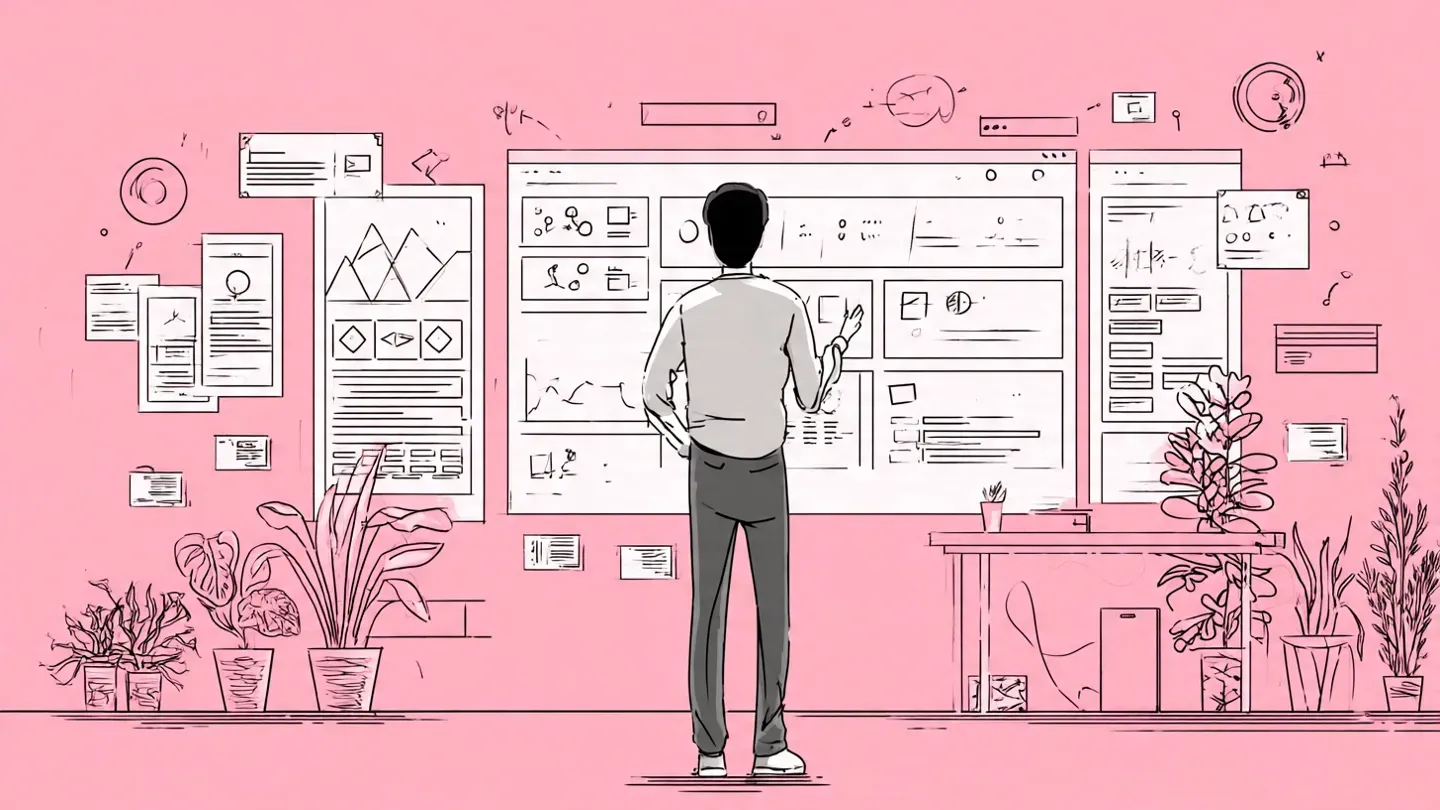
Most founders think wireframing is a design activity. It is not. It is a thinking activity that happens to produce a visual output. And because of that misunderstanding, a lot of founders either skip it entirely or hand it to a designer before they have thought through the product clearly enough for a designer to be useful.
The result is the same in both cases: a product gets built that solves the wrong problem, is structured the wrong way, or is structured well enough but impossible to explain to the first developer who asks how it is supposed to work.
This guide covers what a wireframe is, why user flow comes before screens, how fidelity works, and when to move up, what to include in each screen, which tools make sense for founders without design experience, and exactly what your developer needs from you before they write a single line of code.
What Is a Wireframe? (and What It Is Not)
A wireframe is a structural layout of a single screen showing what content and interactive elements are present, where they sit, and how a user moves from this screen to the next. It does not include color, typography, imagery, or brand styling. It is a drawing of a product's skeleton, not its skin.
Each type of product deliverable does a different job:
| Deliverable | What it shows | What it excludes | Used for |
|---|---|---|---|
| Wireframe | Structure, layout, elements | Color, fonts, imagery | Planning and alignment |
| Prototype | Interaction and flow | Real data, final styling | User testing |
| Mockup | Visual design | Interaction, real data | Stakeholder sign-off |
| MVP | Real product | Scale, full feature set | Market validation |
The relationship between these matters for founders specifically. A wireframe informs a design sprint, feeds into a prototype for user testing, and provides the structural clarity that makes scoping an MVP significantly faster.
Skipping the wireframe and going directly to MVP is why so many builds take twice as long as they should, because the structural decisions that belong in an afternoon of sketching get made instead during development sprints at $150 per hour.
Why Wireframing Before You Hire Saves Time and Money
Hiring a designer before wireframing is a common and expensive mistake. It is not that designers cannot wireframe. Is it that a designer working from a verbal brief is guessing at what you want? Their guess is informed and visual, which makes it feel more definitive than it is. Founders then anchor to that version because it looks finished, even if the structure is wrong.
Wireframing first forces three things to happen before anyone else is involved.
You find the gaps in your own thinking: The act of drawing a screen requires you to decide what is on it. Every decision you defer to the designer is a decision you have not made. When you wireframe yourself, those deferrals become visible. A vague idea about a dashboard becomes a set of concrete questions: what data is shown here, who sees it, what can they do from this screen, and where does clicking this button take them.
You communicate intent, not aesthetic. A rough wireframe tells a developer how the product should behave. A mockup tells them how it should look. These are different conversations. Developers need the first one to start. They do not need the second one until later. Founders who show a designer's polished mockup to a developer on day one often spend the next two weeks in misalignment about what is actually being built.
You reduce iteration cos:. Changing a hand-drawn wireframe takes 30 seconds. Changing a designer's mockup takes hours and costs money. Changing production code takes days. The earlier a structural decision gets made and validated, the cheaper every subsequent change becomes.
How to Map User Flow Before You Start Wireframing
This is the step almost every wireframing guide skips.
A user flow is a map of the paths a user takes through your product to complete a specific task. It is not a sitemap (which shows page hierarchy), a nd it is not a wireframe (which shows screen structure). It is the sequence of decisions and actions a user makes from the entry point to goal completion.
Drawing user flow before any screen looks like this: write down the single most important thing a new user needs to accomplish in your product. Then draw out every step they take to accomplish it, including the decision points where they might go in different directions.
For a simple onboarding flow, it might look like: land on homepage, click sign up, enter email and password, verify email, reach dashboard, complete first action. That sequence is six screens minimum. Each decision point (what if they forget their password, what if verification fails, what if they abandon midway) adds more.
The reason user flow comes first is that most founders wireframe what they find interesting about their product rather than what users do first. The result is a detailed wireframe of a reporting dashboard and a vague hand-wave about how users get there. User flow forces you to start at the beginning, which is always a user who does not yet know what your product is.
How to draw your first user flow in under an hour:
Pick one task. Write it at the top of a blank page. Draw it as a sequence of boxes connected by arrows. Each box is a screen or a decision point. Decisions get a diamond shape with two arrows out: one for yes, one for no. Do not try to map the whole product. Map the one thing your product does for a first-time user before anything else.
When you are done, count the boxes. Each one is a screen you need to wireframe. If you have more than fifteen screens for a single user task, the scope is too large for a first version.
Low, Mid, and High Fidelity Wireframes: Which One Do You Need?
Wireframe fidelity describes how much detail a wireframe contains. There are three levels, and each serves a different purpose.
Low fidelity uses boxes, lines, and placeholder text. No real content, no styling, no interaction. Built in five to fifteen minutes per screen on paper or a digital whiteboard. Use it to get the structure down fast, work out user flow, and have quick conversations with co-founders or advisors before investing more time.
Mid fidelity is a basic digital wireframe with real labels, navigation elements, and described content areas. Built in thirty to sixty minutes per screen in a tool like Balsamiq or Whimsical. Use it to align a technical co-founder or developer on what gets built and present a direction to stakeholders before investing in design.
High fidelity shows near-final layouts with real content, accurate spacing, and interactive linking between screens. Built in two to four hours per screen in Figma or similar. Use it for user testing, investor presentations, design sprint prototypes, and handoff to a design or development team.
Founders with no design background do not need to reach high fidelity on their own. The goal is mid-fidelity, clearly enough that the designer or developer you bring in does not need to make structural decisions for you.
The expensive mistake is skipping directly to high fidelity before the structure is validated. High-fidelity wireframes take four to six times longer to produce and four to six times longer to change. Founders who spend three days building a polished wireframe and then discover through a single user conversation that the core flow is wrong have paid for a mistake in time that a paper sketch would have caught in minutes.
Your First Wireframe in One Sitting
If you have never wireframed before, this is the fastest path from nothing to something usable.
Step 1: Get the materials. Paper and a thick black pen. The pen thickness matters. Fine-tip pens tempt you into adding detail too early. A thick marker keeps you at the right level of abstraction.
Step 2: Draw a phone or browser frame. A rectangle with a status bar at the top for mobile. A rectangle with a simple address bar for the web. This is your canvas. Keep it small enough that you cannot fit too much detail.
Step 3: Add only what the user sees first. Resist adding everything. A first screen typically has one primary action. What is it? Draw the element that represents that action: a search bar, a sign-up form, or a single call-to-action button. Label it with real words, not "button here."
Step 4: Draw an arrow to the next screen. What happens when the user takes the primary action? Draw that screen next to the first one with an arrow between them. Keep going until you reach the point where the user has completed their goal.
Step 5: Add annotations. For each interactive element, write one sentence next to it explaining what it does. "Clicking this takes the user to X." "This field validates against Y format." "This shows only if the Z condition is true."
One sitting should produce five to eight rough screens covering your primary user flow. That is enough to have a meaningful conversation with a developer, a co-founder, or a potential investor about what you are building.
What to Include in a Wireframe (and What to Leave Out)
Most first wireframes by non-designers fail for one of two reasons: they include too much, or they leave out the things that matter most.
Include: Every content area on the screen, described clearly. Not "image here" but "photo of the property with address and price below." Navigation elements with their actual labels. Interactive components: buttons, forms, dropdowns, toggles. Annotations explaining what happens when a user takes an action. The screen title and where it sits in the user flows.
Leave out: Color. Real fonts and typography. Actual images and icons at this stage. Pixel-precise spacing. Brand guidelines. Visual styling of any kind. These belong in a mockup. Adding them at the wireframe stage takes significantly longer and makes it harder for collaborators to separate structural feedback (which is what you need) from aesthetic feedback (which is noise at this stage).
One practical rule: if someone is commenting on how something looks rather than whether it makes sense, the wireframe has too much visual information in it.
Screen States Most Founders Forget to Wireframe
This is the gap that causes the most back-and-forth between founders and developers during a build.
Every screen in your product exists in multiple states. Most founders wireframe only the ideal state: a logged-in user with complete data taking the expected action. Developers build for all states simultaneously. When they receive wireframes that only show the ideal scenario, they either invent the missing states (introducing decisions they should not be making) or stop the build to ask (which introduces delays).
The states you need to wireframe for every screen:
Empty state: What does a screen look like before any data exists? A new user's dashboard is not the same as a returning user's dashboard. A feed with no posts looks different from a feed with twenty. Empty states are often where first-time users decide whether to continue or leave.
Error state: What happens when the user enters something incorrectly? Where does the error message appear? What does it say? Error states that are not wireframed get invented by developers, and developer-invented error messages are rarely what the product should say to a confused first-time user.
Loading stat: Does anything need to show while data is fetching? For products with any API call or database query, loading states prevent the screen from appearing broken to users while content populates.
Partial state: What does the screen look like when a user has completed some but not all required steps? An onboarding flow with four steps needs wireframes for a user who has completed steps one and two but not three and four.
Adding these states to your wireframes before development starts is one of the most practical things a non-designer founder can do to shorten a build timeline.
Mobile vs Web: What Changes in Your Wireframe
The structural decisions you make in a wireframe differ meaningfully depending on whether you are building for mobile or web, and founders who wireframe without considering this often produce layouts that work on one but not the other.
For mobile: Navigation lives at the bottom of the screen, not the top. Primary actions should be reachable with a thumb, meaning they sit in the lower third of the screen. Content stacks vertically. Tables, multi-column layouts, and complex form structures that work on the web need to be redesigned for a single-column scroll on mobile.
For web: Navigation typically sits at the top. Sidebar layouts are standard for dashboards and productivity tools. Horizontal space allows comparison layouts, tables, and multi-column structures that are not possible on mobile.
The practical question for founders: which device does your primary user use first? Most consumer products have a mobile-first audience. Most B2B SaaS products are used on the web first. Wire for your primary device and note what changes on the secondary device rather than trying to wireframe both in full on your first pass.
If your product needs to work on both from day one, wireframe the mobile version first. Mobile constraints are stricter, which forces cleaner structural thinking. The web version is usually easier to derive from a clean mobile wireframe than the reverse.
Best Wireframing Tools for Non-Designers
The tool question has changed materially since 2022. AI has entered most wireframing tools and genuinely shortened the time from idea to workable screen layout for non-designers.
| Tool | Best for | Fidelity | Learning curve | Price |
|---|---|---|---|---|
| Paper and pen | First pass, user flow mapping | Low | None | Free |
| Balsamiq | Clean low-fi digital wireframes | Low to mid | Low | From $12/month |
| Whimsical | Quick flows and mid-fi wireframes | Low to mid | Low | Free tier available |
| Visily | AI-generated wireframes from a text prompt | Mid to high | Very low | Free tier available |
| Uizard | AI prompt to multi-screen mockup, photo to wireframe | Mid to high | Very low | Free tier available |
| Google Stitch | Text or sketch to exportable UI with front-end code | Mid to high | Low for technical founders | Free (2025 release) |
| Figma | Full design tool, industry standard for handoff | All levels | High | Free for starters |
The recommendation for a founder with no design background: start on paper, move to Balsamiq or Whimsical for shareable mid-fidelity work, and use Visily or Uizard when you need something closer to a real screen layout without hiring a designer yet.
Figma is the industry standard, but it is built for professional designers. The learning curve for a first-time user is steep enough that a founder using Figma for the first time will spend more time fighting the tool than thinking about the product. Once a designer joins the team, Figma is where the work should live. Before that point, it is overkill.
Using AI tools practically: Visily and Uizard both allow you to type a product description and generate a set of screens from it. Type something like: "A dashboard for freelancers to track invoices with a list view, a total owed summary at the top, and a button to create a new invoice." What comes back is a starting point, not a finished wireframe.
React to it, annotate it, and correct what is wrong. The generated screen will get you 60 percent of the way there in five minutes. The remaining 40 percent is the structural thinking that only you can do.
Common Wireframing Mistakes and How to Fix Them
| Mistake | What it produces | The fix |
|---|---|---|
| Wireframing before mapping user flow | Screens that do not connect logically | Draw the flow on paper before opening any tool |
| Adding color and styling | Aesthetic feedback instead of structural feedback | Use grey boxes only; color comes in the mockup stage |
| Wireframing only the ideal state | The developer invents error, empty, and loading states | Add one screen per state for every key interaction |
| Not annotating interactive elements | Developer misunderstands intended behavior | One sentence per button or form explaining what it does |
| Wireframing for web only | Mobile layout does not work without a redesign | Decide the primary device first; wire for that, derive the other |
| Jumping to Figma too early | Hours lost fighting the tool instead of thinking about the product | Use Balsamiq or paper until the structure is clear |
| Too many screens before any validation | Weeks spent on a flow that users will not use | Map one core task end-to-end before adding any secondary flows |
How to Hand Off Wireframes to a Developer
This is the part that directly determines whether your build starts on time or spends the first two weeks in clarification loops.
A developer working from a wireframe needs four things.
The complete user flow. Not just the happy path. Every screen in the product, including error states, empty states, and edge cases, is like a user who forgets their password or submits a form incorrectly. Developers build for all states simultaneously. A wireframe that only shows the ideal experience forces them to invent the others.
Annotated screens. Labels and notes explaining what each element does, not just what it is. A button labelled "Submit" needs an annotation explaining what happens when a user taps it: does it send an email, redirect to a confirmation screen, trigger a loading state, or all three.
Decision logic in plain language. For any screen with conditions (show this if the user is logged in, show that if the user has not completed onboarding), write the logic next to the wireframe. Developers need this to understand how the product behaves, and they will ask for it regardless. Providing it in the wireframe means it gets decided once, correctly, before any code is written.
A clear scope boundary. If you have wireframed the full product vision but only the first three screens are being built in the current sprint, mark that clearly. Developers who receive a full product wireframe with no scope indication will either build everything or build something different from what you intended.
This is also why wireframing connects directly to the MVP timeline and cost. A well-annotated wireframe with a clear scope and defined user flow typically shortens a build by two to four weeks because structural decisions that would otherwise surface mid-development have already been made.
When to Bring a Designer Into Your Wireframes
A wireframe produced by a founder is meant to be replaced, not preserved. Its job is to capture structural decisions clearly enough that a designer can work from it without second-guessing the intent.
The right time to bring in a designer is after the user flow is mapped and at least one pass of mid-fidelity wireframes exists for the core user journey. At that point, a designer has enough structure to work with and enough clarity on the product intent to produce a mockup without rebuilding the architecture from scratch.
Bringing a designer in before this point means they are doing product thinking alongside visual thinking simultaneously. They are capable of it. But it is slower and more expensive than doing the structural work yourself first, and it produces a design that reflects their product assumptions as much as yours.
Ready to Build What You Wireframe?
Getting from a clear wireframe to a working product requires more than a developer. It requires a scoped build plan, a realistic timeline, and a team that can execute against a defined spec.
Ellenox works with founders to take a validated product idea through wireframing, scoping, and full development. If your idea is clear but the path from wireframe to launch is not, talk to Ellenox.